


EXCLUSIVE OFFER
BECOME THE OFFICIAL SPONSOR OF TDA Secure the only Premium spot available now.
BOOK THIS SPACE ONLY ONE SPOT AVAILABLE
🇮🇹 EN
🇮🇹 Italian
🇬🇧 English
🇨🇳 Chinese
🇷🇺 Russian
🇰🇷 Korean
🇪🇸 Spanish
🇷🇴 Romanian
🇵🇱 Polish
MarcoConti Latin Dance · Top Dance AllianceContact me ↗
Share this site

Share this website or this article with students, schools, and friends.

WhatsAppFacebook
You can also copy the link to share on Instagram, WeChat, email, and other platforms.

Marco Conti
Palermo · Italy

Marco Conti

Portrait of Marco Conti
Biography

My Journey in Dance.

Read the biography ↗
Photos and Videos

Moments to share.

View the Entire Gallery ↗

Day 4

Share photos / videos

Photos and videos on Instagram / TikTok

Save the file and add it to a new post in the app. You can also try "Prepare and Share" from your phone's menu, if available.

Video
Save Video

Bring people to Top Dance Alliance

The video shared on its own does not contain a clickable link to this page. Please also add the link using one of the methods below.

Instagram Story: Add the Link sticker and paste this address. You can use “Learn more about TDA” as the text.

Instagram Reel or TikTok video: Add the link to your profile links (if available), then write “Learn more: link in profile” in the video. Add the link first—the video text won’t create it.

For a permanent link to the Maestro website, use "Copy Link" in the "Share Site" panel on the Home page. To promote this article, use the link above instead. If TikTok doesn't allow a link to the site, you can invite people to message you to get it.

If Instagram or TikTok doesn't appear: use "Save Photo/Video," open the app, and add the file to a new post. On an iPhone, you may need to select "Save Video" or "Save Image" from the Share menu. Use only content that you are allowed to repost.
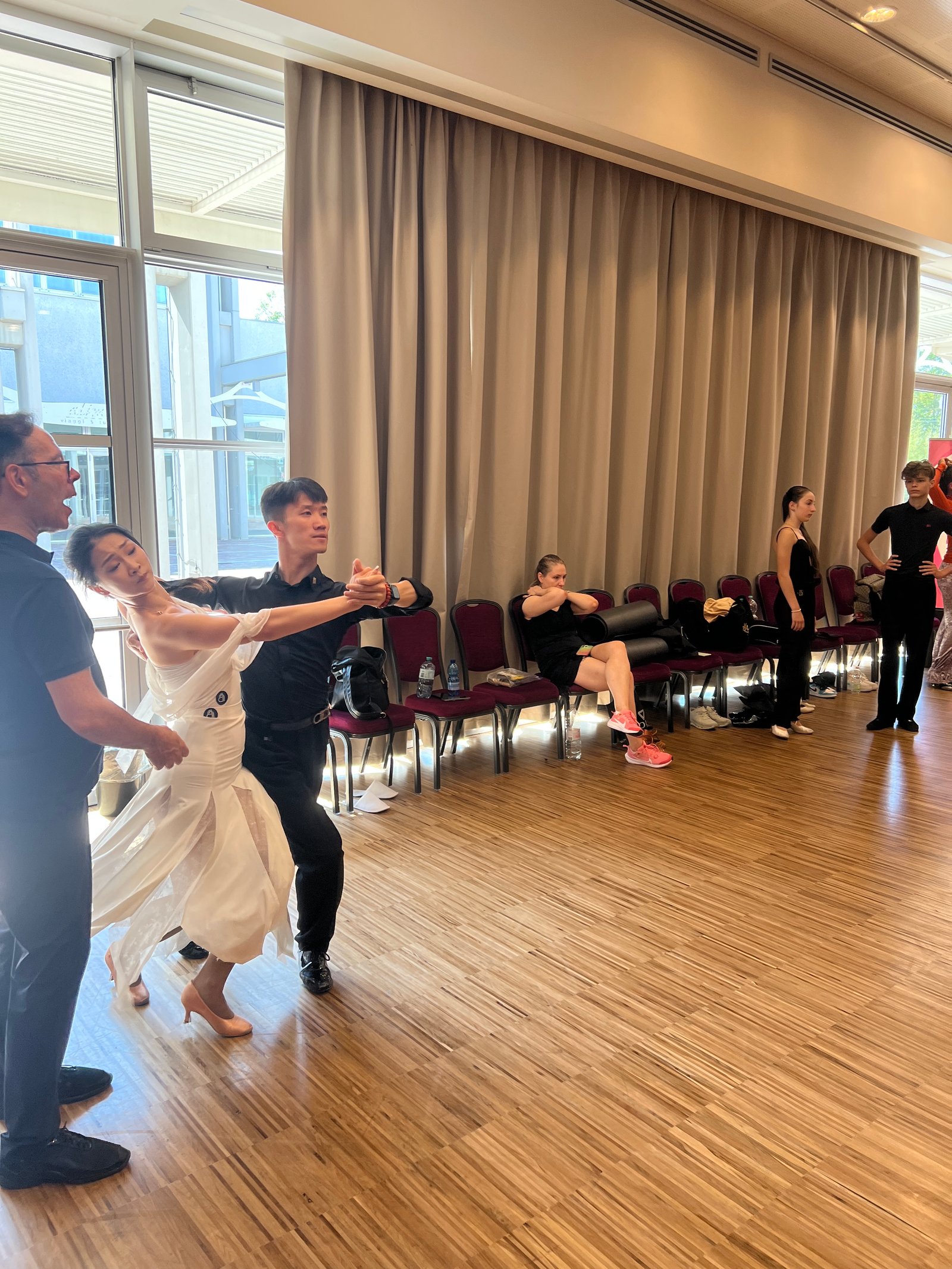
TDA Instructor Update

TDA Instructor Update

Share photos / videos

Photos and videos on Instagram / TikTok

Save the file and add it to a new post in the app. You can also try "Prepare and Share" from your phone's menu, if available.

Photos
Save Photo

Bring people to Top Dance Alliance

The video shared on its own does not contain a clickable link to this page. Please also add the link using one of the methods below.

Instagram Story: Add the Link sticker and paste this address. You can use “Learn more about TDA” as the text.

Instagram Reel or TikTok video: Add the link to your profile links (if available), then write “Learn more: link in profile” in the video. Add the link first—the video text won’t create it.

For a permanent link to the Maestro website, use "Copy Link" in the "Share Site" panel on the Home page. To promote this article, use the link above instead. If TikTok doesn't allow a link to the site, you can invite people to message you to get it.

If Instagram or TikTok doesn't appear: use "Save Photo/Video," open the app, and add the file to a new post. On an iPhone, you may need to select "Save Video" or "Save Image" from the Share menu. Use only content that you are allowed to repost.

Day 4

Share photos / videos

Photos and videos on Instagram / TikTok

Save the file and add it to a new post in the app. You can also try "Prepare and Share" from your phone's menu, if available.

Video
Save Video

Bring people to Top Dance Alliance

The video shared on its own does not contain a clickable link to this page. Please also add the link using one of the methods below.

Instagram Story: Add the Link sticker and paste this address. You can use “Learn more about TDA” as the text.

Instagram Reel or TikTok video: Add the link to your profile links (if available), then write “Learn more: link in profile” in the video. Add the link first—the video text won’t create it.

For a permanent link to the Maestro website, use "Copy Link" in the "Share Site" panel on the Home page. To promote this article, use the link above instead. If TikTok doesn't allow a link to the site, you can invite people to message you to get it.

If Instagram or TikTok doesn't appear: use "Save Photo/Video," open the app, and add the file to a new post. On an iPhone, you may need to select "Save Video" or "Save Image" from the Share menu. Use only content that you are allowed to repost.

From the Blog

The latest news.

All articles ↗
video

Day 4

Day 4
Read the article ↗♡ 0 · Comments 0 · Open in feed →
Share this article

Share this website or this article with students, schools, and friends.

WhatsAppFacebook
You can also copy the link to share on Instagram, WeChat, email, and other platforms.

Photos and videos on Instagram / TikTok

Save the file and add it to a new post in the app. You can also try "Prepare and Share" from your phone's menu, if available.

Video
Save Video

Bring people to Top Dance Alliance

The video shared on its own does not contain a clickable link to this page. Please also add the link using one of the methods below.

Instagram Story: Add the Link sticker and paste this address. You can use “Learn more about TDA” as the text.

Instagram Reel or TikTok video: Add the link to your profile links (if available), then write “Learn more: link in profile” in the video. Add the link first—the video text won’t create it.

For a permanent link to the Maestro website, use "Copy Link" in the "Share Site" panel on the Home page. To promote this article, use the link above instead. If TikTok doesn't allow a link to the site, you can invite people to message you to get it.

If Instagram or TikTok doesn't appear: use "Save Photo/Video," open the app, and add the file to a new post. On an iPhone, you may need to select "Save Video" or "Save Image" from the Share menu. Use only content that you are allowed to repost.

TDA Instructor Update
post

TDA Instructor Update

Read the article ↗♡ 0 · Comments 0 · Open in feed →
Share this article

Share this website or this article with students, schools, and friends.

WhatsAppFacebook
You can also copy the link to share on Instagram, WeChat, email, and other platforms.

Photos and videos on Instagram / TikTok

Save the file and add it to a new post in the app. You can also try "Prepare and Share" from your phone's menu, if available.

Photos
Save Photo

Bring people to Top Dance Alliance

The video shared on its own does not contain a clickable link to this page. Please also add the link using one of the methods below.

Instagram Story: Add the Link sticker and paste this address. You can use “Learn more about TDA” as the text.

Instagram Reel or TikTok video: Add the link to your profile links (if available), then write “Learn more: link in profile” in the video. Add the link first—the video text won’t create it.

For a permanent link to the Maestro website, use "Copy Link" in the "Share Site" panel on the Home page. To promote this article, use the link above instead. If TikTok doesn't allow a link to the site, you can invite people to message you to get it.

If Instagram or TikTok doesn't appear: use "Save Photo/Video," open the app, and add the file to a new post. On an iPhone, you may need to select "Save Video" or "Save Image" from the Share menu. Use only content that you are allowed to repost.

video

Day 4

Day 4
Read the article ↗♡ 0 · Comments 0 · Open in feed →
Share this article

Share this website or this article with students, schools, and friends.

WhatsAppFacebook
You can also copy the link to share on Instagram, WeChat, email, and other platforms.

Photos and videos on Instagram / TikTok

Save the file and add it to a new post in the app. You can also try "Prepare and Share" from your phone's menu, if available.

Video
Save Video

Bring people to Top Dance Alliance

The video shared on its own does not contain a clickable link to this page. Please also add the link using one of the methods below.

Instagram Story: Add the Link sticker and paste this address. You can use “Learn more about TDA” as the text.

Instagram Reel or TikTok video: Add the link to your profile links (if available), then write “Learn more: link in profile” in the video. Add the link first—the video text won’t create it.

For a permanent link to the Maestro website, use "Copy Link" in the "Share Site" panel on the Home page. To promote this article, use the link above instead. If TikTok doesn't allow a link to the site, you can invite people to message you to get it.

If Instagram or TikTok doesn't appear: use "Save Photo/Video," open the app, and add the file to a new post. On an iPhone, you may need to select "Save Video" or "Save Image" from the Share menu. Use only content that you are allowed to repost.

Top Dance Alliance

Explore

Main Sections
Community and Services
Account

Install Top Dance Alliance

Add TDA to your Home screen and use it just like a regular app: get quick access to news, videos, events, the marketplace, the dashboard, and the community.